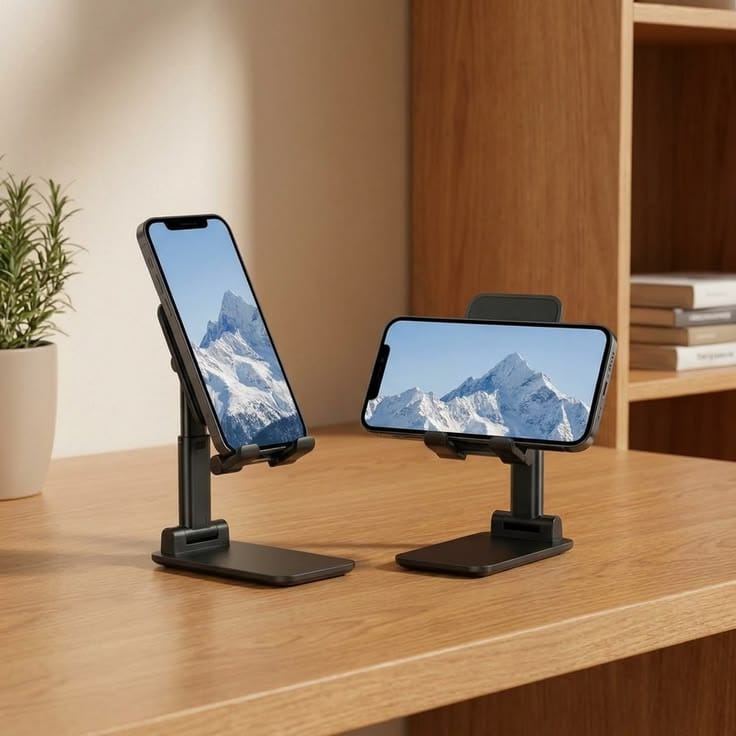
Integrating the Mobile Control Center (The Phone Mount)
Integrating the Mobile Control Center (The Phone Mount)

For high-production creators, the smartphone isn't a distraction—it’s a critical production engine. Whether you are reviewing video cuts, monitoring live chat streams, reading scripts, or tracking community engagement, your mobile device is a core piece of your daily digital infrastructure.
However, leaving your phone sitting flat on your desk creates a massive friction point in your workflow. Every time a notification drops or a live feed updates, you have to break your focus, pick up the device, and disrupt your visual baseline.
The Workflow Fix: Dedicated Mechanical Elevation
To maximize your daily output, your mobile display must be treated exactly like a secondary desktop monitor.
The Zero-Friction Horizon: Implement a rigid, adjustable desktop phone mount directly adjacent to your primary laptop or display screen.
The Eye-Level Script Feed: Elevate the device so that script lines, prompts, or live-stream previews rest directly within your natural line of sight.
The Hands-Free Dashboard: Keeping your phone locked into a dedicated mechanical mount keeps your hands free for keyboard/mouse execution and keeps your desktop clean, turning a chaotic workspace into a streamlined, dual-screen command station.
By anchoring your mobile engine into a fixed, eye-level position, you eliminate ambient admin friction, speed up your editing review loops, and keep your production focus entirely unbroken.
Blackbear DeskDoc
1201 Peachtree St NE, Suite 200
Atlanta, GA 30361